Search
Page 30 of 61
Understanding MS1 Peak Intensity in ProteinPilot software
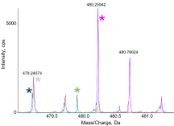
The “Intensity (Peptide)” values come from LCMSReconstruct, in ProteinPilot software 5.0. It maps the RT, m/z, intensity MS1 surface to find the peak information for the peptide. The Intensity (Peptide) is a weighted sum of the heights of the isotope series at the determined apex of the peptide elution, after doing a 3-point moving average […]
- Data processing
- Life Science Research
- ProteinPilot
- Proteomics
- QTOF
- SCIEX information
- ZenoTOF 7600 system
Tags: apex, change, expected, file, group, information, intensity, isotope, model, money, number, opinion, peak, ratio, smooth, sum, type, use, water, weight
August 6, 2021
What is the difference between a rapid and a thorough search in ProteinPilot software?
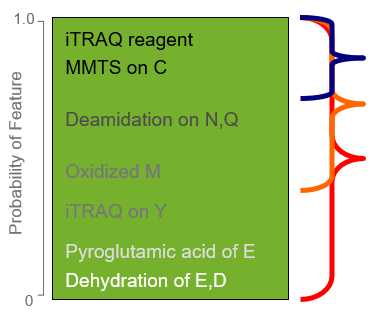
When setting up your search in ProteinPilot software, you select either a Rapid Search or a Thorough Search in the Search Effort section. This setting determines which parts of the algorithm will be invoked and effectively how deep into your sample you will search to find the right answers. When a Rapid Search is selected, […]
- Data processing
- Life Science Research
- ProteinPilot
- Proteomics
- QTOF
- SCIEX information
- ZenoTOF 7600 system
Tags: allow, art, book, data, file, group, information, knowledge, model, modification, option, part, perform, probability, rapid, search, selected, set, thorough, use
Automated tuning and calibration for the SCIEX Triple Quad systems using SCIEX OS software
These 4 short videos demonstrate the automated features included with SCIEX OS software for verifying the performance of the SCIEX Triple Quad systems, and for tuning and calibrating the instrument if it falls outside of performance specifications. These features are a vast improvement over the previous functionality included with Analyst software. There is now a single […]

Controlling the M5 MicroLC system with SCIEX OS software using contact closure
Contact closure can be used to control external devices that are not directly controlled by SCIEX OS software. A sample batch is first created in the SCIEX OS software for MS acquisition, and then a similar batch is created on an external LC device with the required methods and autosampler settings. The contact closure allows […]
Tags: change, close, closure, clothes, computer, configuration, contact, control, device, external, link, machine, mass, method, science, setting, setup, software, story, use
Controlling the NanoLC 425 HPLC system using contact closure in SCIEX OS software
SCIEX OS software can support external devices that are not under direct control by using contact closure. Contact closure enables synchronization of the SCIEX OS software controlled device (the MS) and the external device (the LC in this case), ensuring that experimental batches can be generated and run on the two devices with appropriate timing. […]

Guidance for source tuning on the OptiFlow Pro ion source
The OptiFlow Pro ion source is the fourth generation of source in the Turbo V ion source family. Fundamental to this family of sources is the orthogonal spray design with V heater configuration, which focuses heat in the optimal spot to achieve high sensitivity through high desolvation from the ESI droplets. The OptiFlow Pro source […]

Using Scheduled MRM algorithm in SCIEX OS software
When very large numbers of MRM transitions are monitored in a single acquisition method, the time spent acquiring data on a single analyte drops significantly. Thus, it is typical to schedule the acquisition of MRM transitions only around their time of elution, such that fewer MRM transitions are monitored concurrently across the gradient. This is […]
What are my normalization options in MarkerView software and when should I use them?
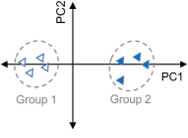
In an LC-MS experiment there are multiple sources of variance that can confound the quality of your results. This variation can be biological e.g. differences between treated and control groups, but can also be non-biological, usually from small variations in experimental conditions.1 These variations can include differences in sample preparation and handling (e.g. different starting […]
Tags: area, change, computer, data, factor, file, group, internal, knowledge, machine, model, number, sample, scale, size, software, standard, type, use, work
How does metadata persist from the Analyst software batch into MarkerView software?
Did you know that MarkerView software can pull information directly from the metadata of your sample datafiles that can help with downstream data processing? To facilitate this, when building your batch in Analyst software, make sure to define your experimental groups in the Sample Name column of the batch. The information in this column will […]
What is the t-test and when should I use it?
A t-test (sometimes called Student’s t-test) is used to determine if the means of two sample groups are significantly different. So, for LC-MS data, we would typically use a t-test to find out if the amount of our variable of interest (protein, peptide, small molecule, or m/z + retention time combination) is different between experimental […]
Page 30 of 61